Preferences
Click Edit > Preferences to open the Preferences window.
General
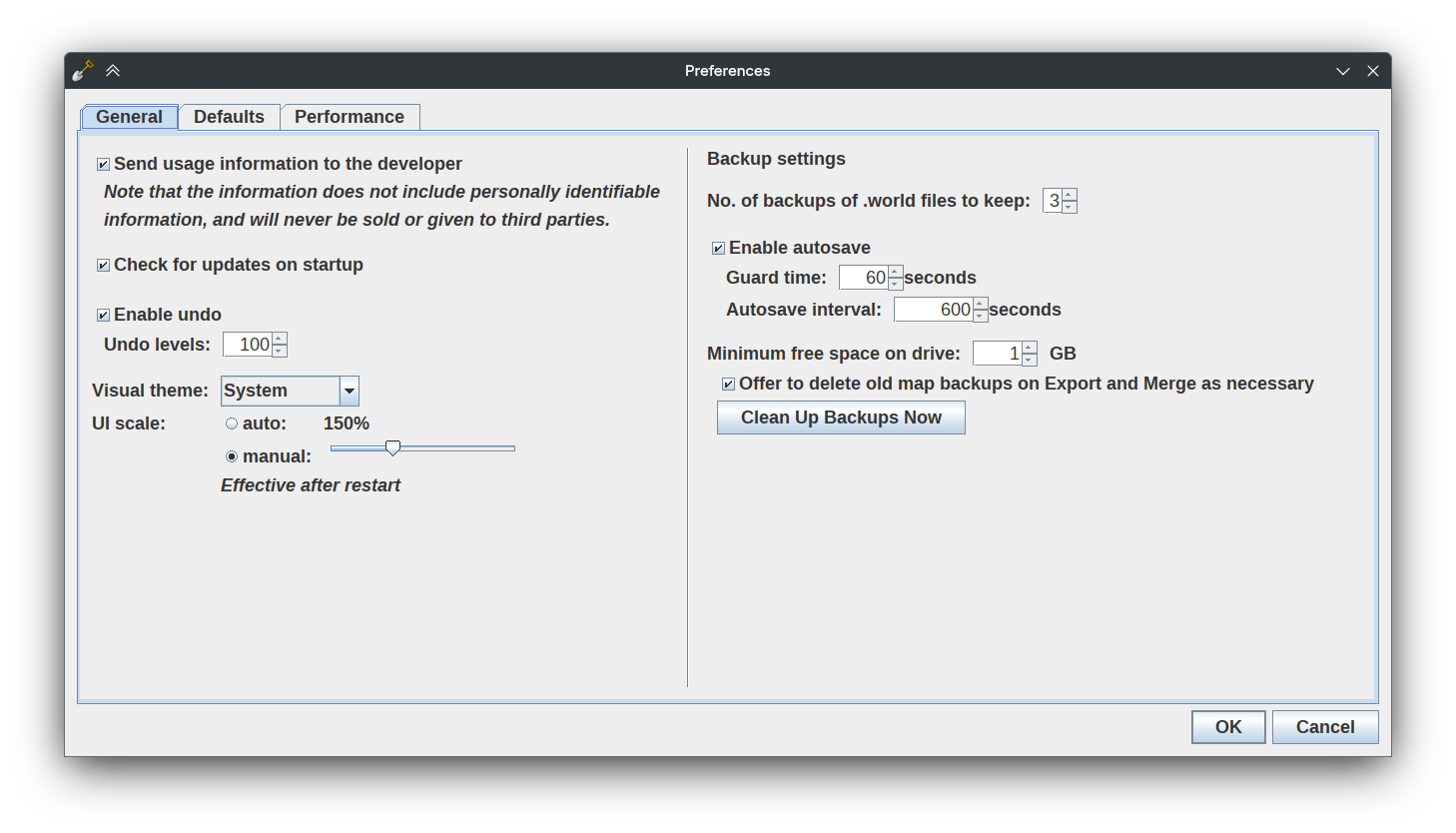
Send usage information to the developer controls whether WorldPainter usage data is sent to the developer. Note that the information does not include personally identifiable information, and will never be sold or given to third parties. The default value is unchecked.
Check for updates on startup controls whether WorldPainter should check for updates when opened. If WorldPainter finds an update, you will be presented the option to download or dismiss the update. The default value is checked.
Enable undo controls whether undo history is saved. The default value is checked.
Undo levels controls the number of actions remembered. For example, if set to 100, you can only undo 100 times in a row. The default value is 100.
Visual theme controls the interface theme for WorldPainter. There are five available themes:
System, which will use your system theme where possible and fall back to Metal.
Metal, a light theme with square, blue-tinted elements.
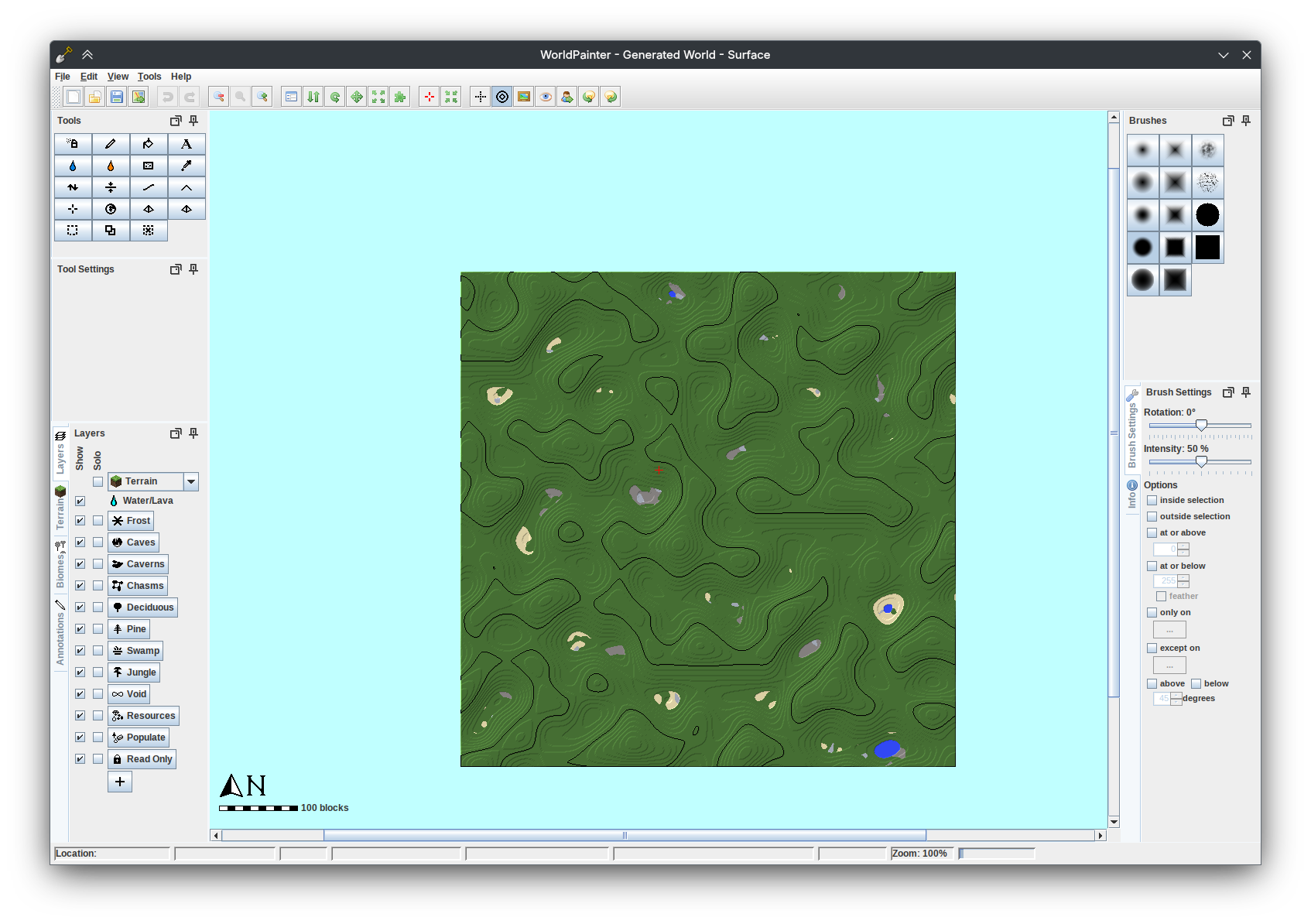
Nimbus, a light theme with blue-tinted skeuomorphic elements.
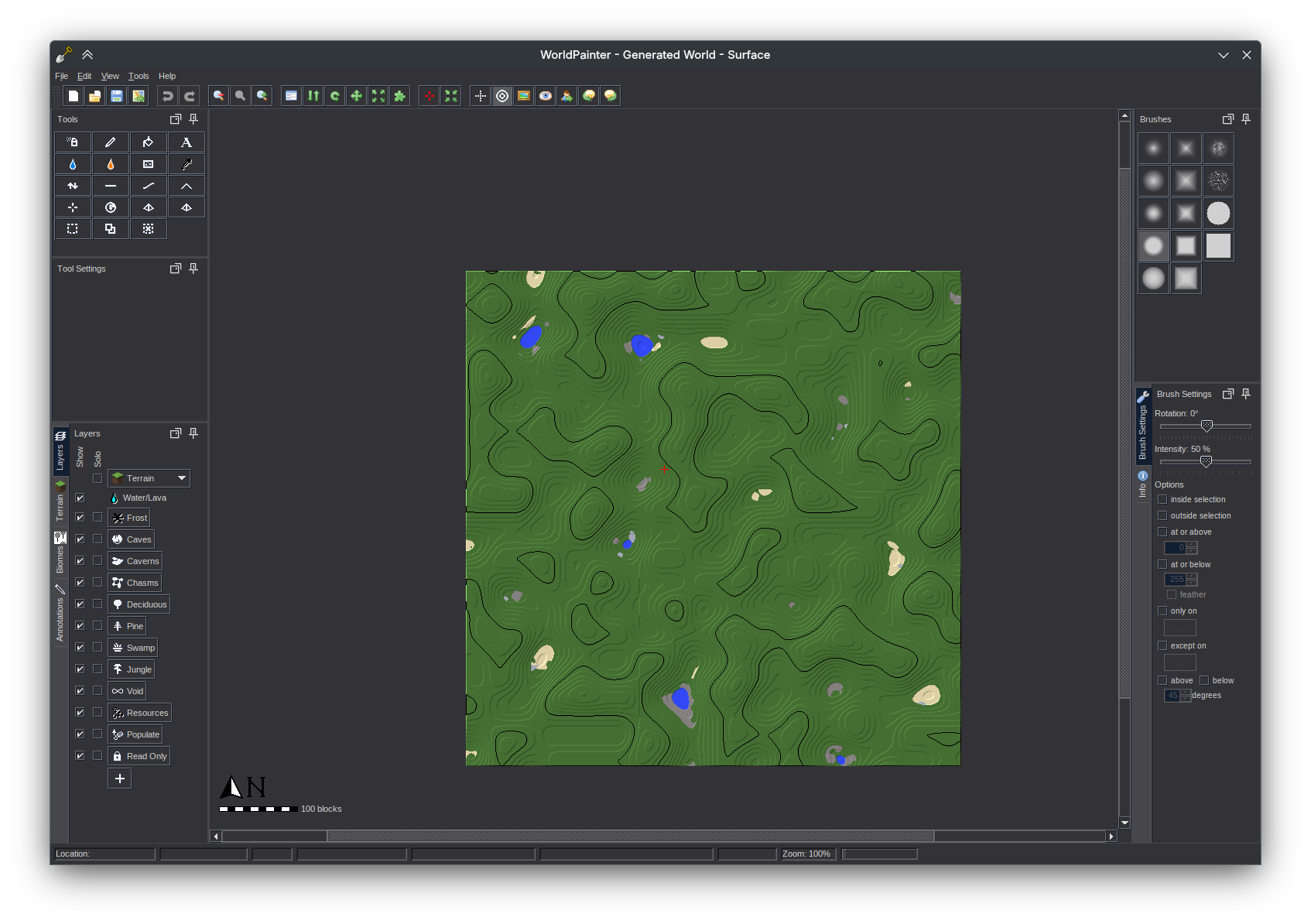
Dark Metal, a dark theme with square elements.
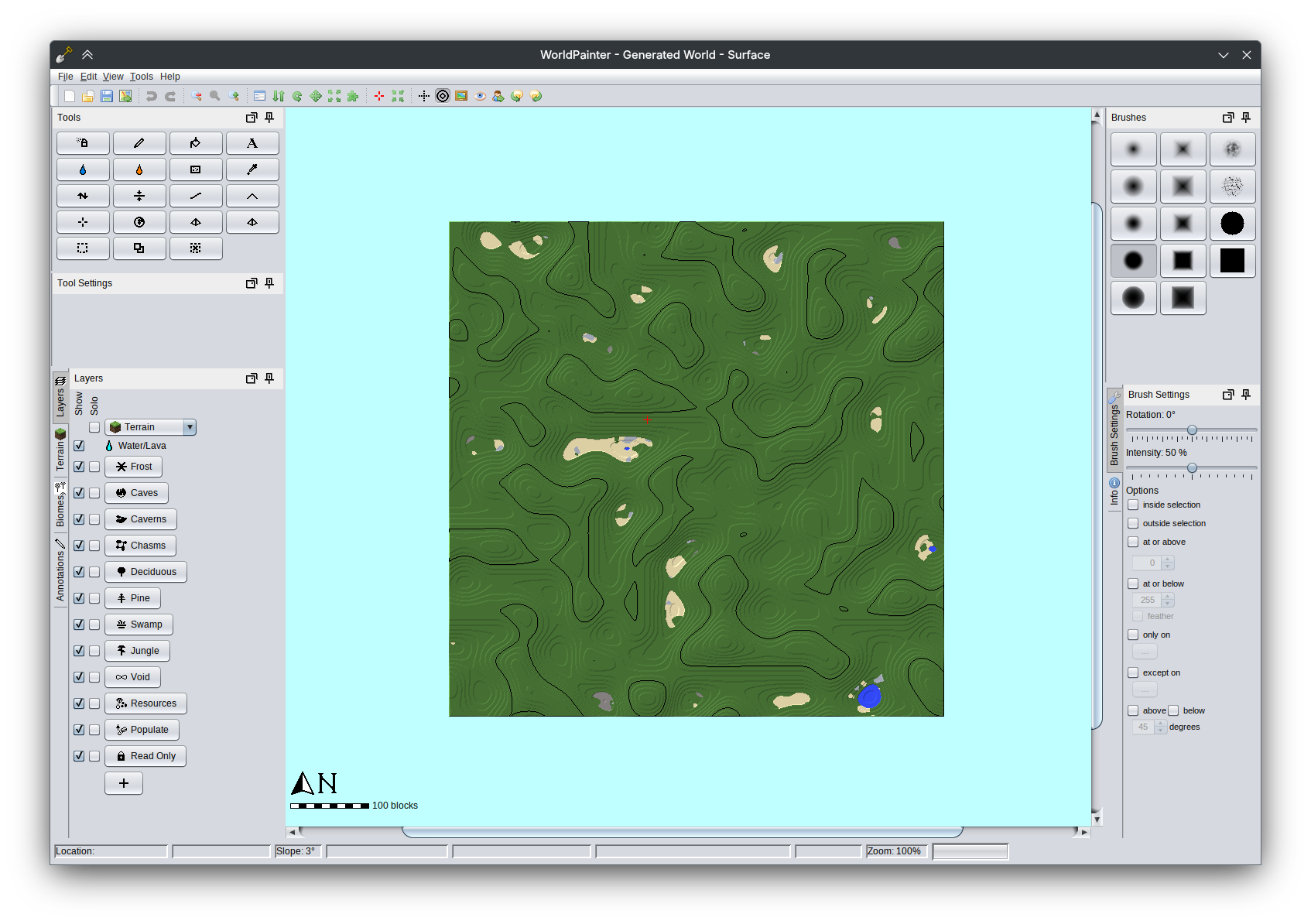
Dark Nimbus, a gray theme with blue-tinted skeuomorphic elements.
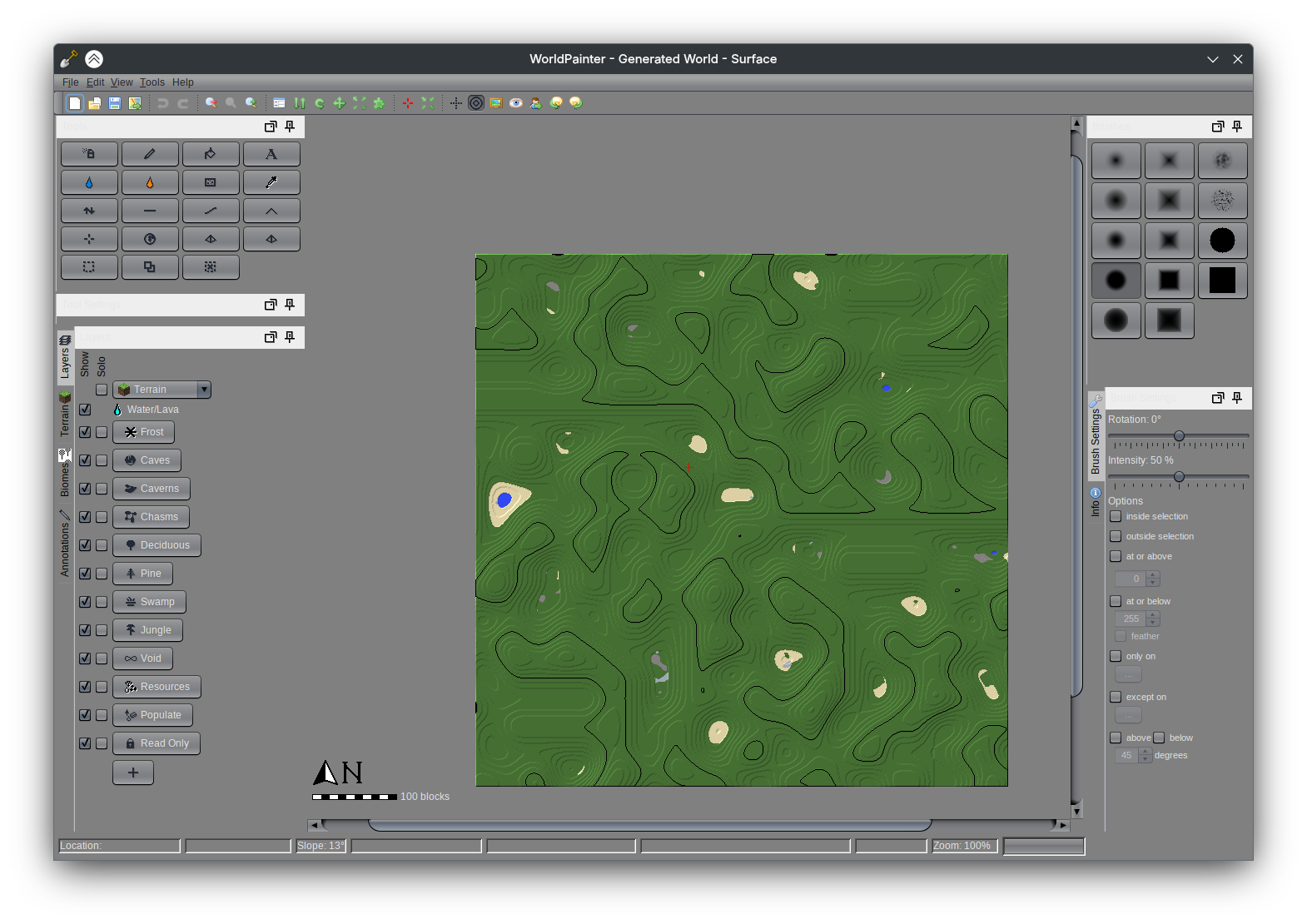
The default value is System. Changes are only effective after restarting WorldPainter.
UI scale controls the scale of elements. The default value is auto. Changes are only effective after restarting WorldPainter.
Backup settings
No. of backups of .world files to keep controls the number of backup .world files to keep.
If autosave is enabled, WorldPainter will periodically create a backup of the current world as it is in the editor. Each autosave creates a new file. WorldPainter will limit the number of backup files to keep to this number. The default value is 3.
Enable autosave controls whether the autosave feature is enabled. The default value is checked.
Guard time controls how long WorldPainter will wait before your last change to autosave. The default value is 60 seconds.
Autosave interval is the frequency with which WorldPainter will autosave regardless of the time since your last edit. The default value is 600 seconds.
Minimum free space on drive controls the minimum amount of space on your computer's storage drive is required for WorldPainter to create backups. The default value is 1 GB.
Offer to delete old map backups on Export and Merge as necessary controls whether WorldPainter will ask you if you want to delete backups when you export a world.
Defaults
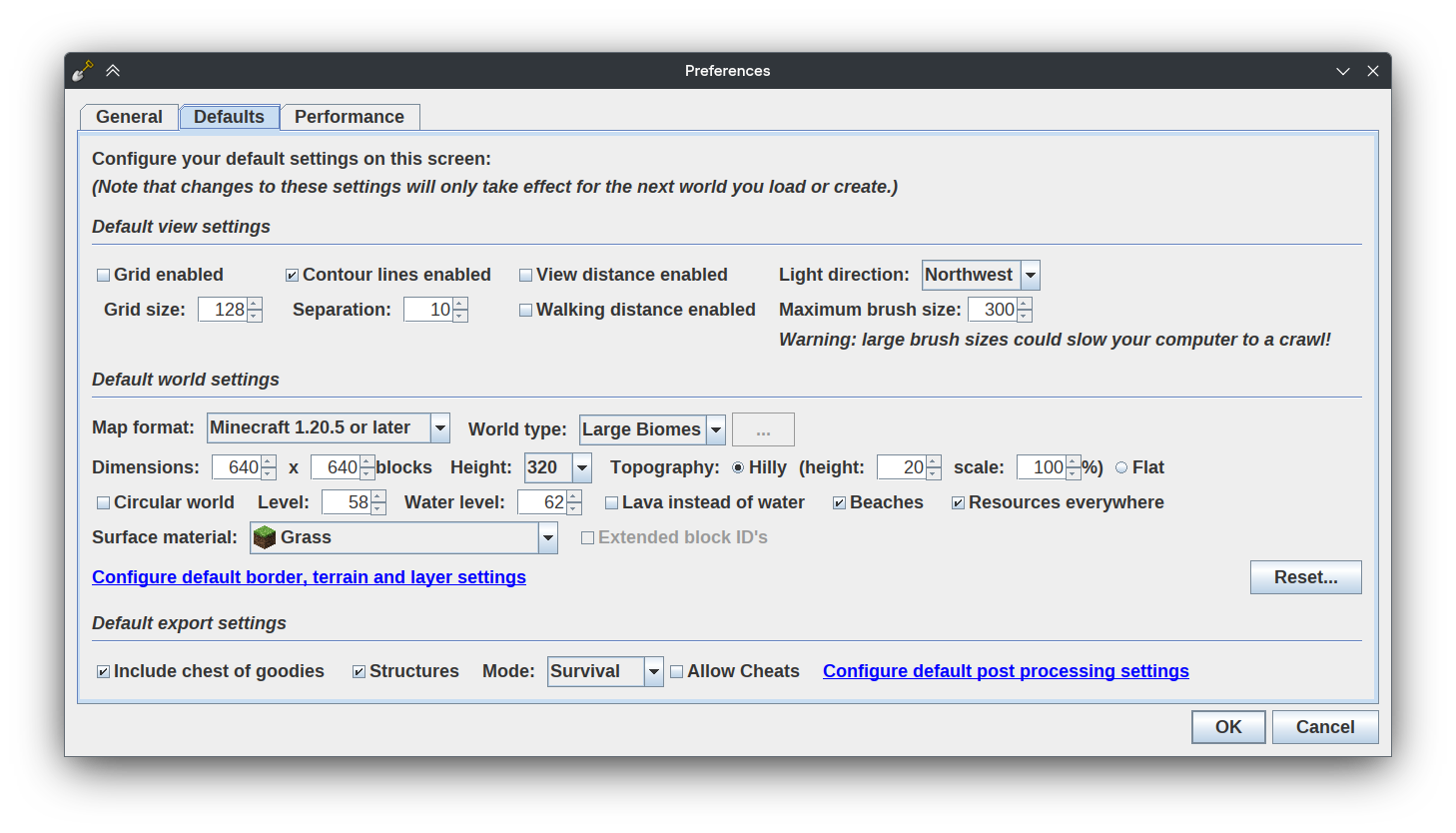
Default view settings
Grid enabled controls whether the viewport grid is enabled by default. The default value is unchecked.
Grid size controls the default size of the viewport grid. The default value is 128.
Contour lines enabled controls whether viewport contour lines are enabled by default. The default value is checked.
Separation controls the default separation of contour lines. The default value is 10.
View distance enabled controls whether the viewport view distance ring is enabled by default. The default value is unchecked.
Walking distance enabled controls whether the viewport walking distance ring is enabled by default. The default value is unchecked.
Light direction controls the default viewport light direction. The default value is northwest.
Maximum brush size controls the maximum radius you can set your brush size to.
WARNING
Large brush sizes could slow your computer to a crawl!
Default world settings
Map format controls the default map format when creating a world. The default value is Minecraft 1.20.5 or later.
World type controls the default world type when creating a world. The default value is Large Biomes.
Dimensions controls the default area dimensions when creating a world. The default value is 640 x 640 blocks.
Height controls the default height when creating a world. The default value is 320.
Topography controls the default topography when creating a world. The default value is hilly (height 20, scale 100%)
Circular world controls whether the world is circular by default when creating a world. The default value is unchecked.
Level controls the default terrain level when creating a world. The default value is 58.
Water level controls the default water level when creating a world. The default value is 62.
Lava instead of water controls whether water is replaced by lava by default when creating a world. The default value is unchecked.
Beaches controls whether beaches are generated by default when creating a world. The default value is checked.
Resources everywhere controls whether resources are generated by default when creating a world. The default value is checked.
Surface material controls the default terrain material when creating a world. The default value is Grass.
Default export settings
Include chest of goodies controls whether a bonus chest is generated by default when exporting a world. The default value is checked.
Structures controls whether structures are generated by default when exporting a world. The default value is checked.
Mode controls the default game mode when exporting a world. The default value is Survival.
Allow Cheats controls whether cheats are enabled by default when exporting a world. The default value is unchecked.
Performance
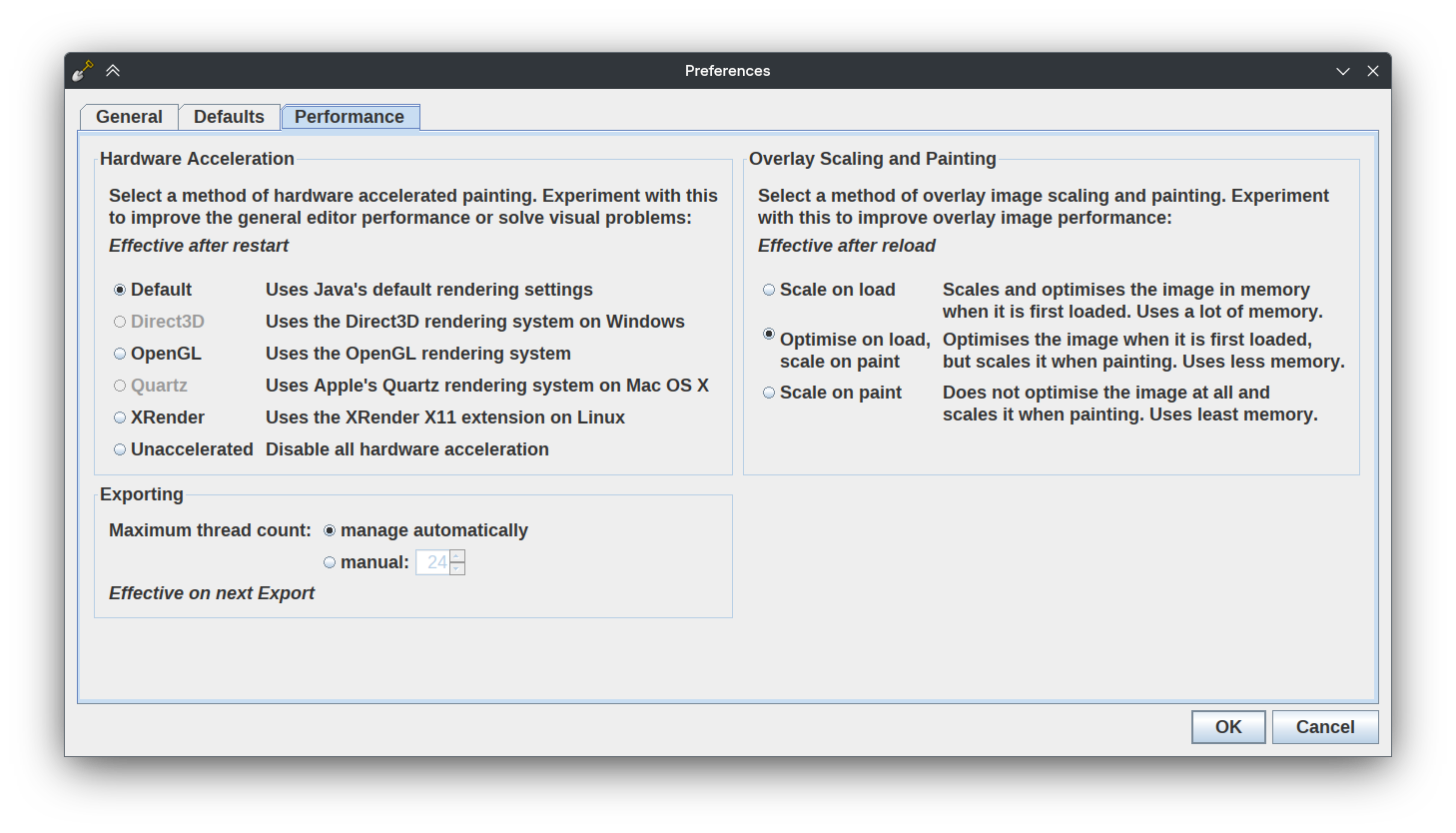
Hardware Acceleration
Controls the method of hardware accelerated painting. Experiment with this to improve the general editor performance or solve visual problems. The default value is Default. Changes are only effective after restarting WorldPainter.
Overlay Scaling and Painting
Controls the method of overlay image scaling and painting. Experiment with this to improve overlay image performance. The default value is Optimise on load, scale on paint. Changes are only effective after reloading overlay images.
Exporting
Controls the maximum number of CPU threads during exporting. The default value is manage automatically. Changes are only effective on next Export.